Halden — Furniture Brand Landing-page
A landing page for a made-to-order furniture studio in the Hudson Valley. Concept work for an invented brand. I wanted the photography to carry the page, so the type stays quiet and a line only appears where two things meet.
Challenge
Nobody spends close to five thousand dollars on a chair they have never touched without some hesitation. In a showroom that hesitation is handled by the room itself. The light is controlled, each piece has space around it, and you can walk up and check the grain with your hand. Online, all of that is gone and the buyer is left with a photo and a price.
Most furniture sites respond by showing more. More products per row, more badges, more offers. That works for a $200 shelf, but it works against a made-to-order piece, because a crowded page tells the buyer this is ordinary stock. The real problem was how to give one chair the same attention on a screen that it gets on a showroom floor, without hiding the practical details a serious buyer still needs, like price, size and lead time.
Solution
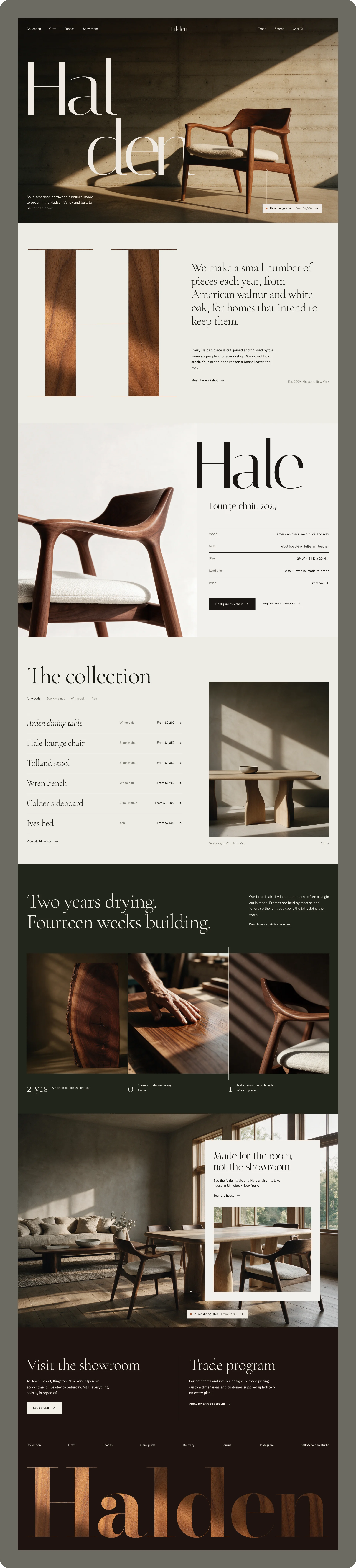
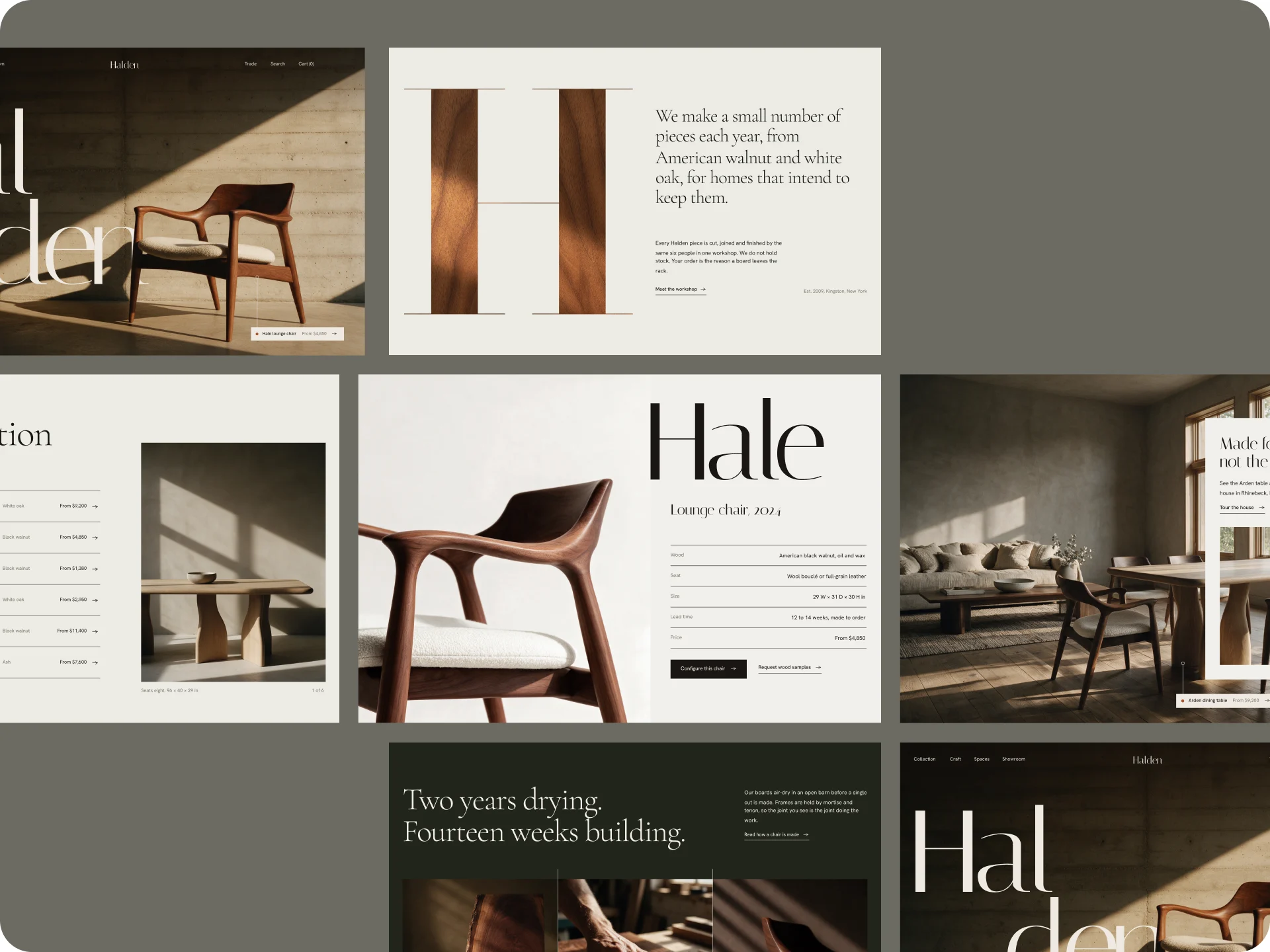
I built the page around the idea that each screen should hold one thing. Every section is roughly one viewport tall and carries a single idea, so the buyer looks at one chair, then one list, then one room, the way they would move through a showroom.
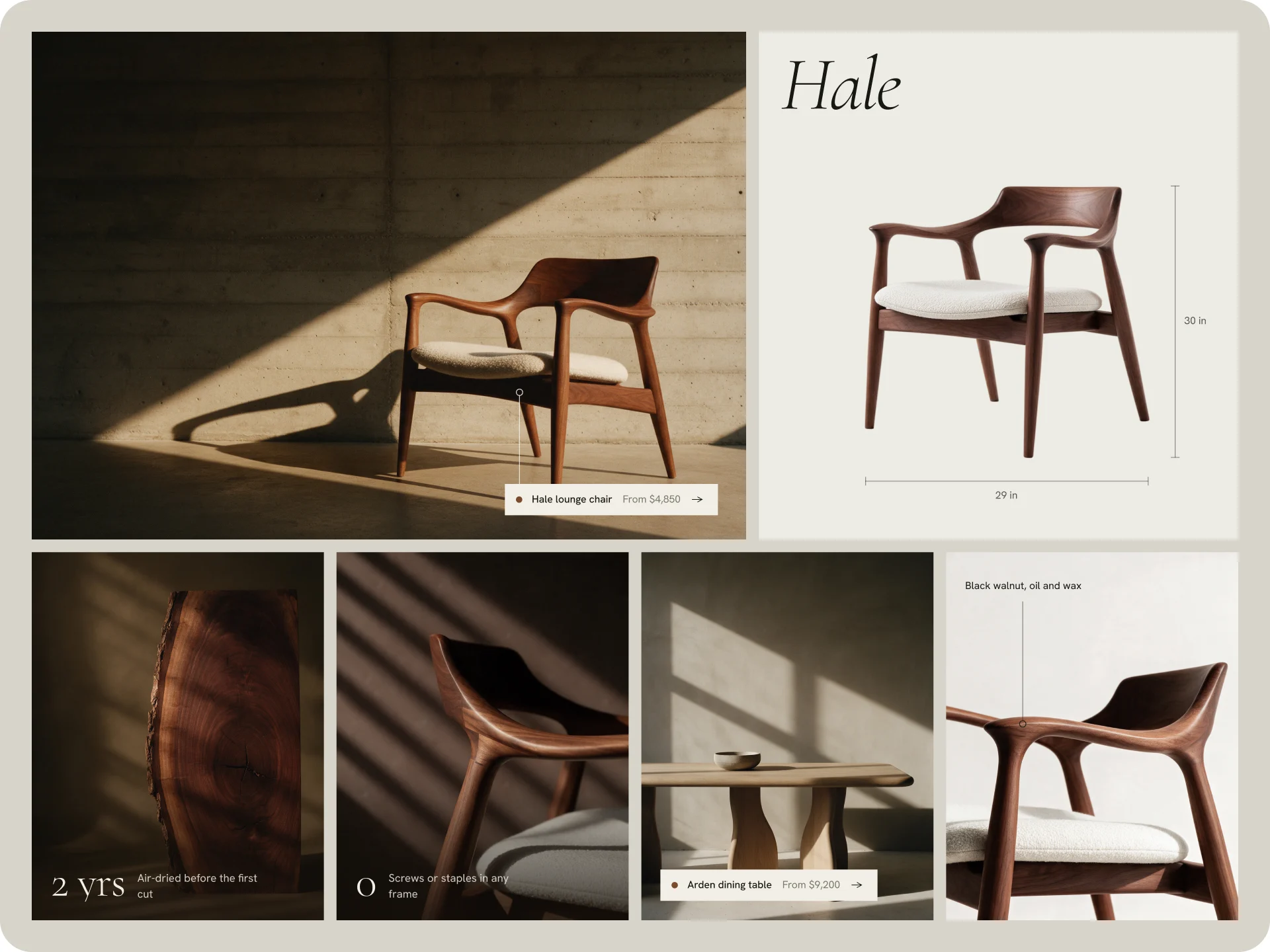
The photography does the job the hand would normally do. Each photo shows one piece, lit from the side so the grain is visible, and cropped close enough that the hero chair runs off the edge of the screen. I placed the chair in front of the brand name on purpose, because the product should be the first thing you read, not the logo.
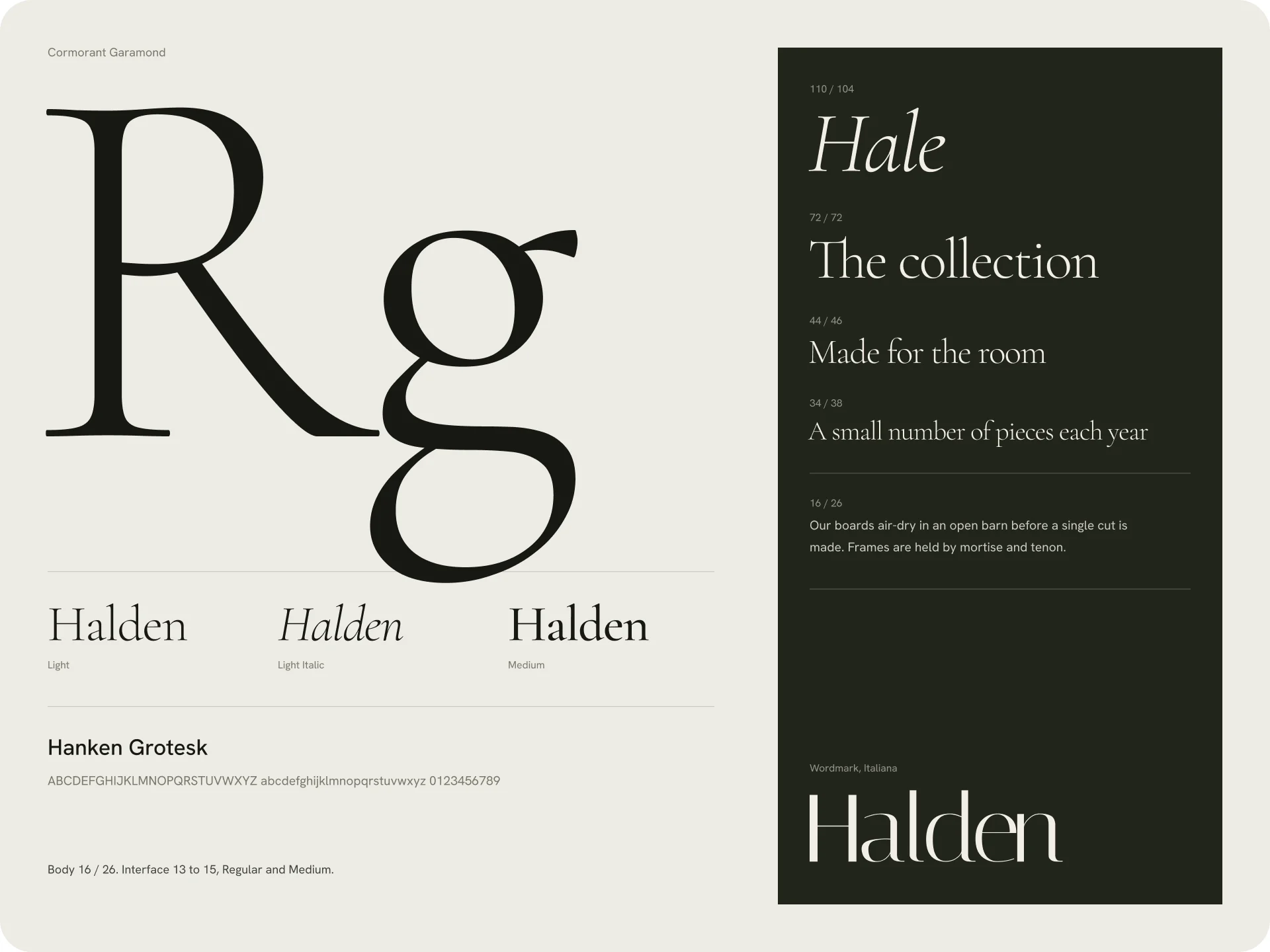
For type I used only two levels and left out everything in between. A thin serif carries the names and statements and never goes below 40px, while a sans handles prices, sizes and menus and never goes above 16px. That gap is what makes the hierarchy obvious, and it let me keep the practical information on the page without it competing with the furniture.
The collection was the decision I went back and forth on most. A grid would show more products at once, but I chose a plain list of names where the photo appears on hover. It shows less at a glance, and I accepted that, because someone buying at this price is comparing two or three pieces, not browsing forty.
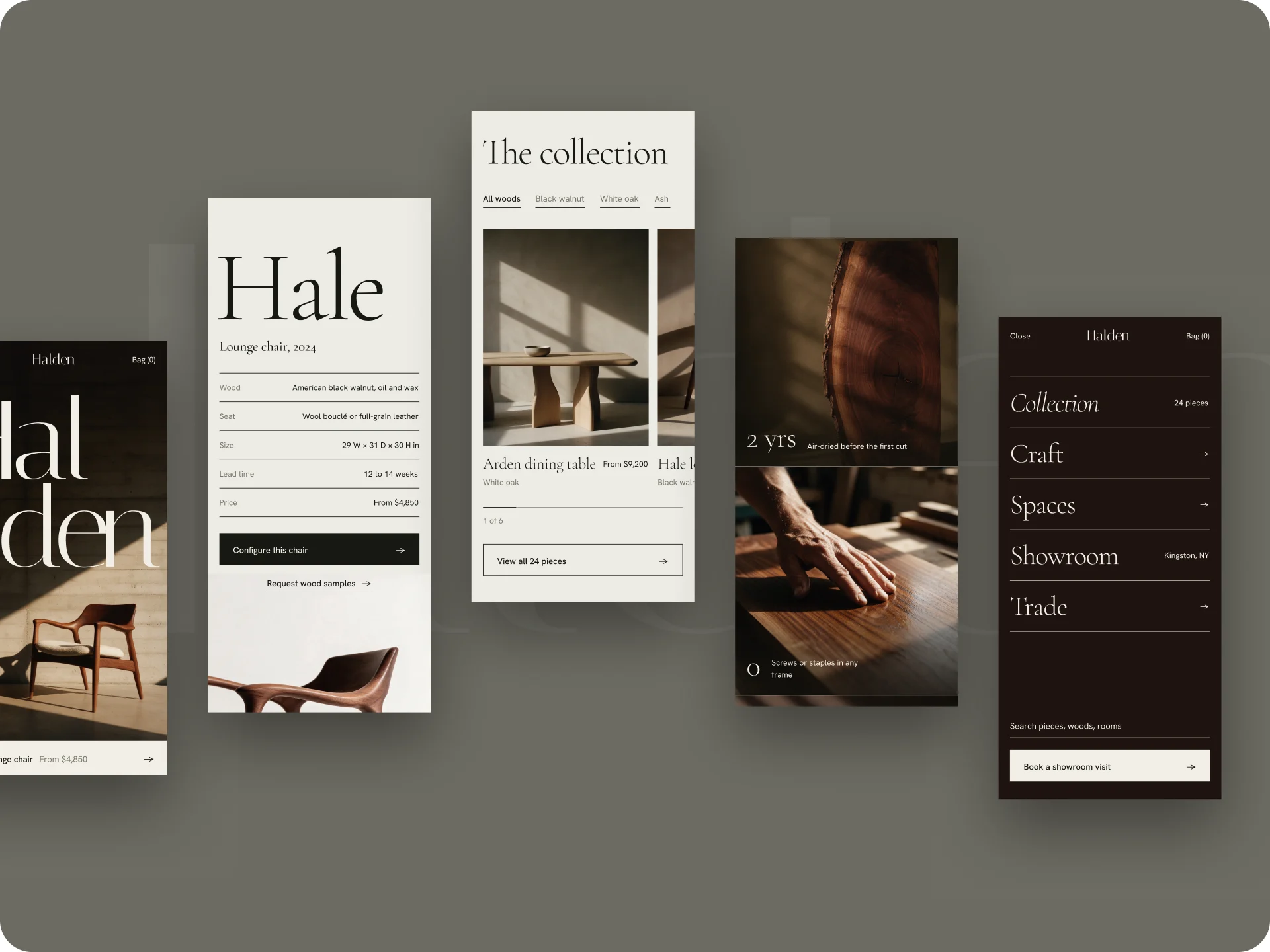
Phones have no hover, so I rebuilt that section for mobile as swipe cards with the next one peeking in, moved the price and the main action to the bottom of the screen where the thumb rests, and made every button full width.